TRADING CHART ANALYSIS · iOS
Stop guessing.
Trade with a plan.
Snap any chart and Wick reads the trend, key levels, both scenarios, risk, and a recommended setup — in seconds. For stocks, crypto, forex & gold.
For traders who want a second opinion before they enter — stocks, crypto, forex, gold.
No account needed · Results in seconds.
Technical analysis for educational and informational purposes.
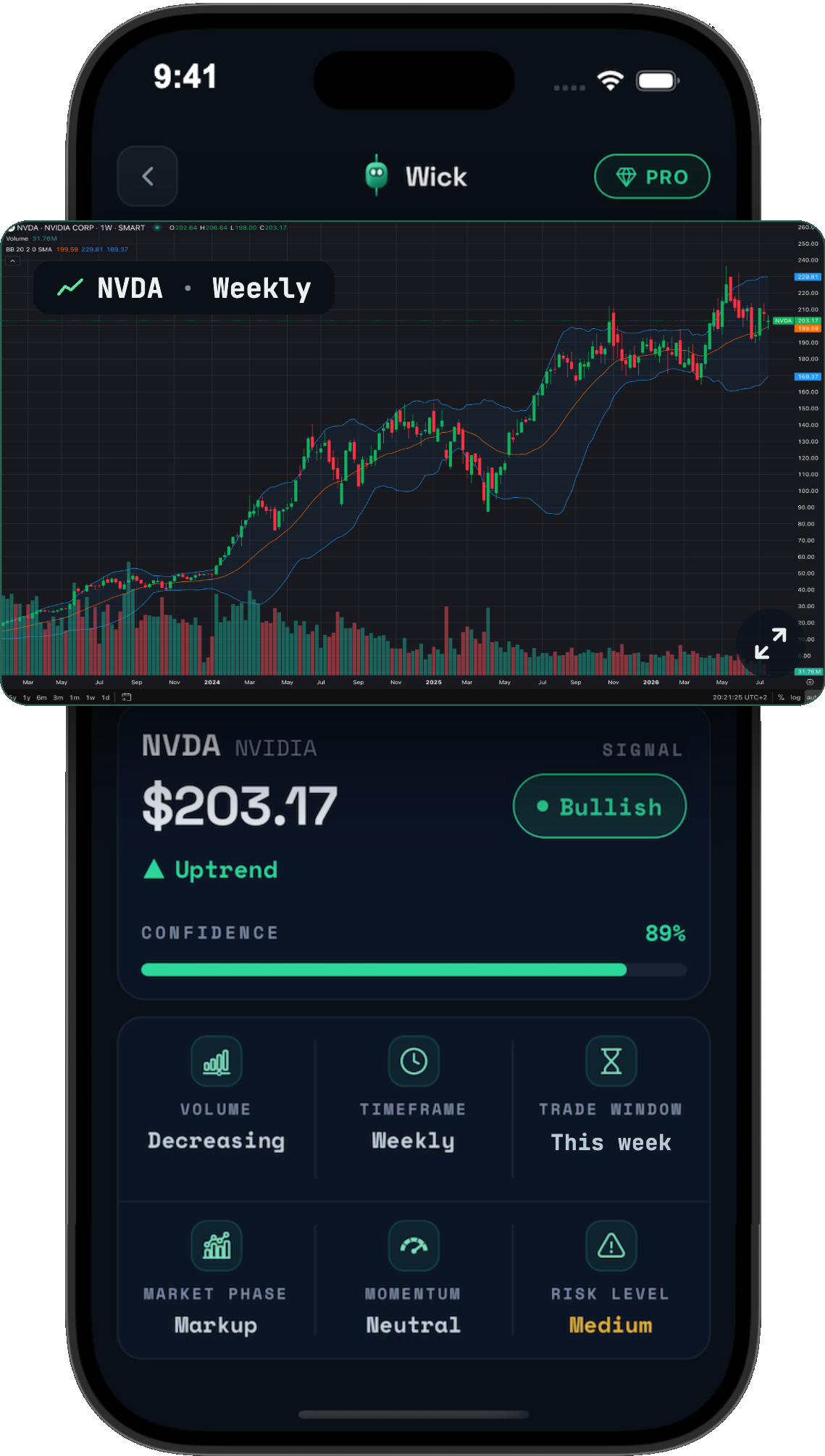
Structured analysis
A full report, not a chatbot
Both scenarios
Bullish and bearish cases
Personalized
Tuned to your trading style
Shareable reports
Polished cards for socials
HOW IT WORKS
From screenshot to structured analysis.
STEP 01
Upload your chart
Use Gallery or Camera to submit a candlestick, line, or bar chart — any timeframe.
STEP 02
Wick analyzes the setup
Wick evaluates the chart structure, trend, levels, momentum, patterns and relevant technical context.
STEP 03
Get your report
Receive a structured analysis with scenarios, key levels, risk context and a recommended approach.
SCENARIOS
See both sides of the trade.
Markets are uncertain. Wick presents the bullish and bearish scenario side by side — each with its trigger, levels and estimated weighting — so you can evaluate multiple outcomes instead of a single prediction.
▲ BULLISH CASE
Trigger Close > $258
Entry $258 retest
Target $282
Stop $246
R:R 2.0
▼ BEARISH CASE
Trigger Close < $246
Entry $246 break
Target $222
Stop $258
R:R 2.0
SHARE
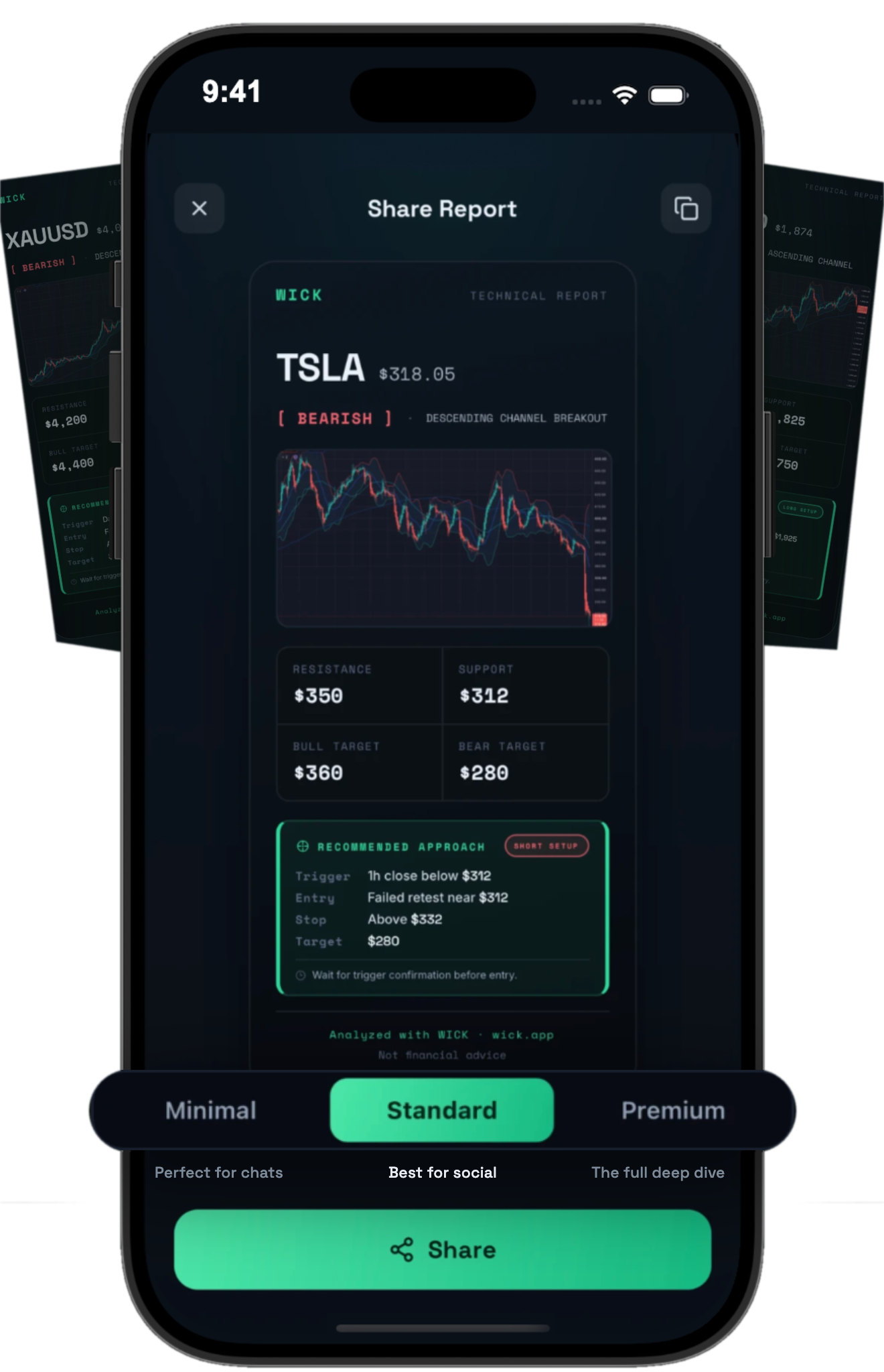
Turn your analysis into something worth sharing.
Generate polished visual reports from any analysis — built for X, Reddit, group chats and trading communities. Three formats, from a compact card to a full technical report.
FAQ
Questions, answered.
What is Wick?
Wick is an iOS app that analyzes trading chart screenshots. Upload or photograph a chart and Wick returns a structured technical analysis: signal, confidence, market context, bullish and bearish scenarios, key levels, detected pattern and a recommended approach.
How does Wick analyze charts?
Wick reads the chart image — its structure, trend, levels, momentum and visible indicators — and organizes the read into a structured report.
What chart types can I upload?
Candlestick, line, and bar charts — from any platform, any timeframe. Include the full chart with price action for the best read.
Can Wick read MetaTrader or TradingView screenshots?
Yes. Take a screenshot in MetaTrader 4 or 5, TradingView, your broker's app or a crypto exchange — or photograph your screen — and upload it. Wick works with stocks, crypto, forex and gold (XAUUSD) charts on any timeframe.
Does Wick provide financial advice?
No. Wick provides educational and informational chart analysis only. It is not a broker, not a trading platform, and nothing in Wick is a recommendation to buy or sell.
Can the analysis be wrong?
Yes. Analysis may be inaccurate or incomplete, and markets are inherently uncertain. Always do your own research before making trading decisions.
Do I need an account?
No. Wick has no user accounts — you can start analyzing charts immediately.
What is Wick Pro?
Wick Pro is the subscription that unlocks Wick's analyses: unlimited scans, complete reports with entry, target and stop loss, premium report sharing and the full Journal. After onboarding you can scan your first chart; viewing the full analysis requires Wick Pro. Fair-use and rate limits still apply.
How do subscriptions work?
Wick Pro is available as a weekly or yearly subscription, purchased through the App Store. Payment is charged to your Apple Account when you confirm the purchase, and the subscription renews automatically unless auto-renew is turned off at least 24 hours before the end of the current period. You can manage or cancel it anytime in your Apple Account settings.
Your next chart deserves a closer look.
Upload a chart. See the setup. Understand what matters.
No account needed · Cancel anytime